How to import a project schedule from Excel or Google Sheets into a calendar
Short answer
Save the sheet as a CSV file with a Title column (and Start, End and Category if you have them), then import it in Kapcal under Tools → Calendar syncing → Static → CSV. Each row becomes an item on the calendar and each category gets its own colour, ready to filter, share or link. If the spreadsheet keeps getting new versions, hand it to an AI assistant instead, so the next version updates the same items.
Why a spreadsheet stops being enough
Many project plans start in a spreadsheet: a row per task, a start and an end date, maybe a column for who does it. It works until the team needs to see it as a calendar, filter it by person, or keep it current as dates move.
Calendar apps can import a spreadsheet, but they’re particular about it. Google Calendar and Outlook want their own column names, and what comes in is one more calendar of plain events, without categories, owners or status.
Step by step
Tidy the columns
Keep a header row on top and one row per item. Kapcal needs a Title column (or Subject), and uses Start, End, Category, Owner, Status, Estimated and Notes when they’re there. Dates can be written 2026-10-05 or 10/05/2026, month first. A row without dates comes in too, under Needs a date.
Save it as CSV
In Excel: File → Save As → CSV UTF-8. In Google Sheets: File → Download → Comma-separated values (.csv). It saves the sheet you’re on.
Import it
A board administrator opens Tools → Calendar syncing → Static → CSV, chooses the file and clicks Import rows. Each Category becomes a category on the board (one with the same name is reused); rows without one go into Imported.
Check what came in
Kapcal lists any row it couldn’t read, with the reason: no title, or a date it doesn’t recognise. Then switch categories on and off, filter by owner or status, and drag whatever needs to move.
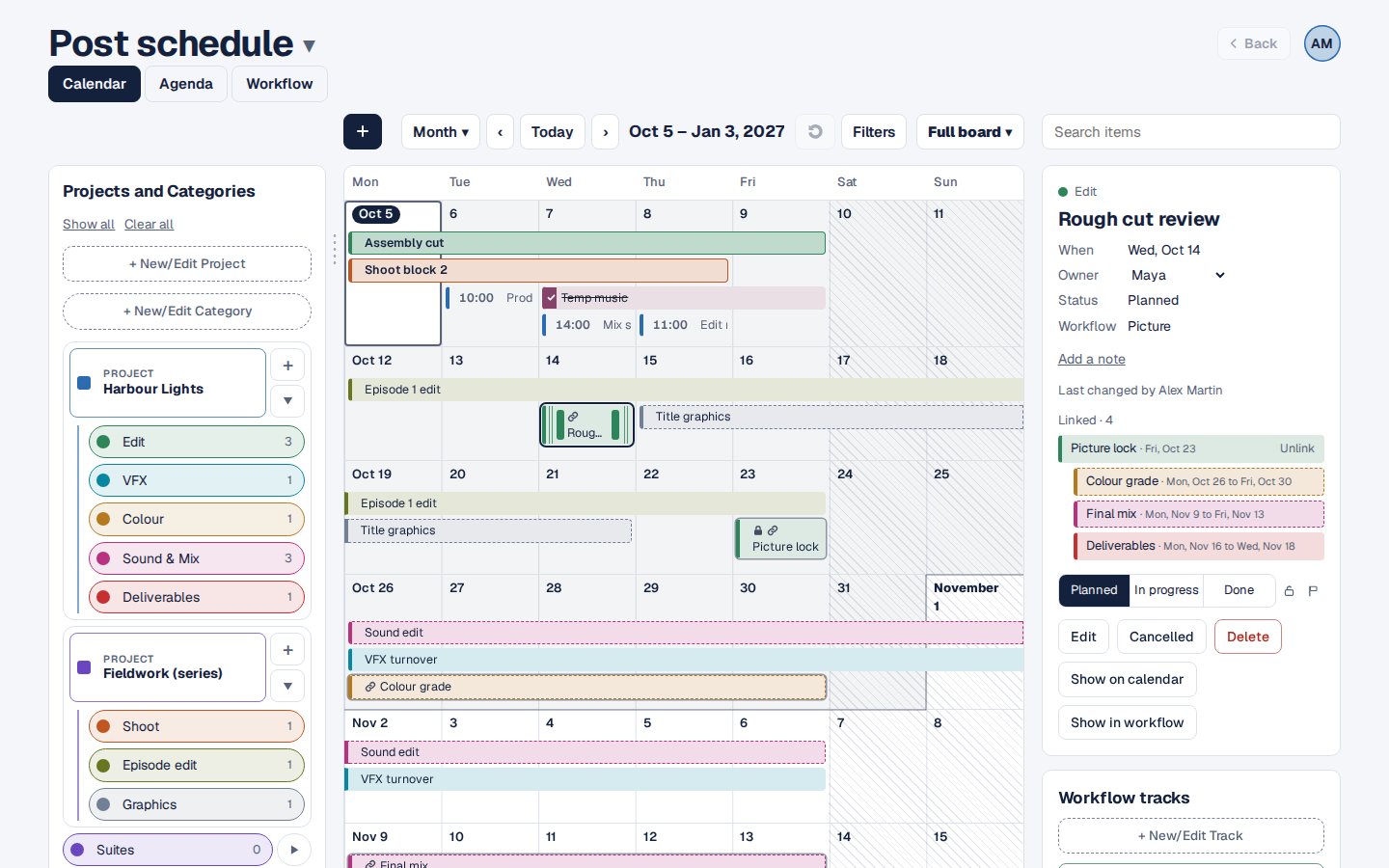
The imported rows, on the calendar. Keep it current
Importing again adds every row again. For a schedule that keeps getting new versions, give the file to Claude or ChatGPT connected to Kapcal (Plus and Pro plans): it updates the items it added before instead of doubling them. How that works.

Other ways
Import into Google Calendar or Outlook
Both take a CSV with their own column names. You get plain events in one calendar, and a second import adds everything again.
Keep the spreadsheet
Everyone can edit it, but nobody sees it as a calendar, and nothing tells anyone when a date moves.
Copy it by hand
Fine for a dozen rows.
Questions
Which columns does Kapcal need?
Only a title. Start, End, Category, Owner, Status, Estimated and Notes are used when present; other columns are left out.
Can I bring in times?
A CSV brings in dates. Add times afterwards in Edit item, or import an iCal (.ics) file, which keeps them.
Who can import?
Board administrators.
Does it change my spreadsheet?
No. Kapcal reads the file once; the spreadsheet stays as it was.